The reproducibility crisis in science is, to a significant degree, a documentation crisis. Researchers publish papers describing computational analyses, statistical models, or data processing pipelines – and then share code that no one, including the original authors six months later, can actually run without extensive reverse-engineering. The problem is almost never malicious. It is structural. Research code is written under time pressure, by researchers whose primary training is in their discipline rather than software engineering, and shared at the point of publication when energy is spent and documentation feels like an afterthought.
The result is code that works on one specific computer, with specific file paths, specific software versions, and specific data files that may or may not be attached – and a README file that either does not exist, consists of three lines, or was last updated two years before the actual code it describes.
This matters more than it used to. Journals increasingly require data and code availability as a condition of publication. Funding bodies – including the NIH, NSF, Wellcome Trust, and the European Research Council – now mandate open research outputs. Peer reviewers are increasingly asked to check whether shared code can actually be run. And researchers who share well-documented, reproducible code get more citations, more reuse, and more recognition for their computational contributions.
This guide provides a complete, ready-to-use README template for research code repositories and a standardised, extensible folder structure that works across disciplines. From quantitative social science to computational biology to econometrics.
| What Reproducibility Actually Requires A reproducible research repository is not just code. It is code plus data (or instructions for accessing it), plus the environment that runs it, plus documentation clear enough for a researcher who has never seen your project to reproduce your published results from scratch. Every element in that list must be present for true reproducibility. |
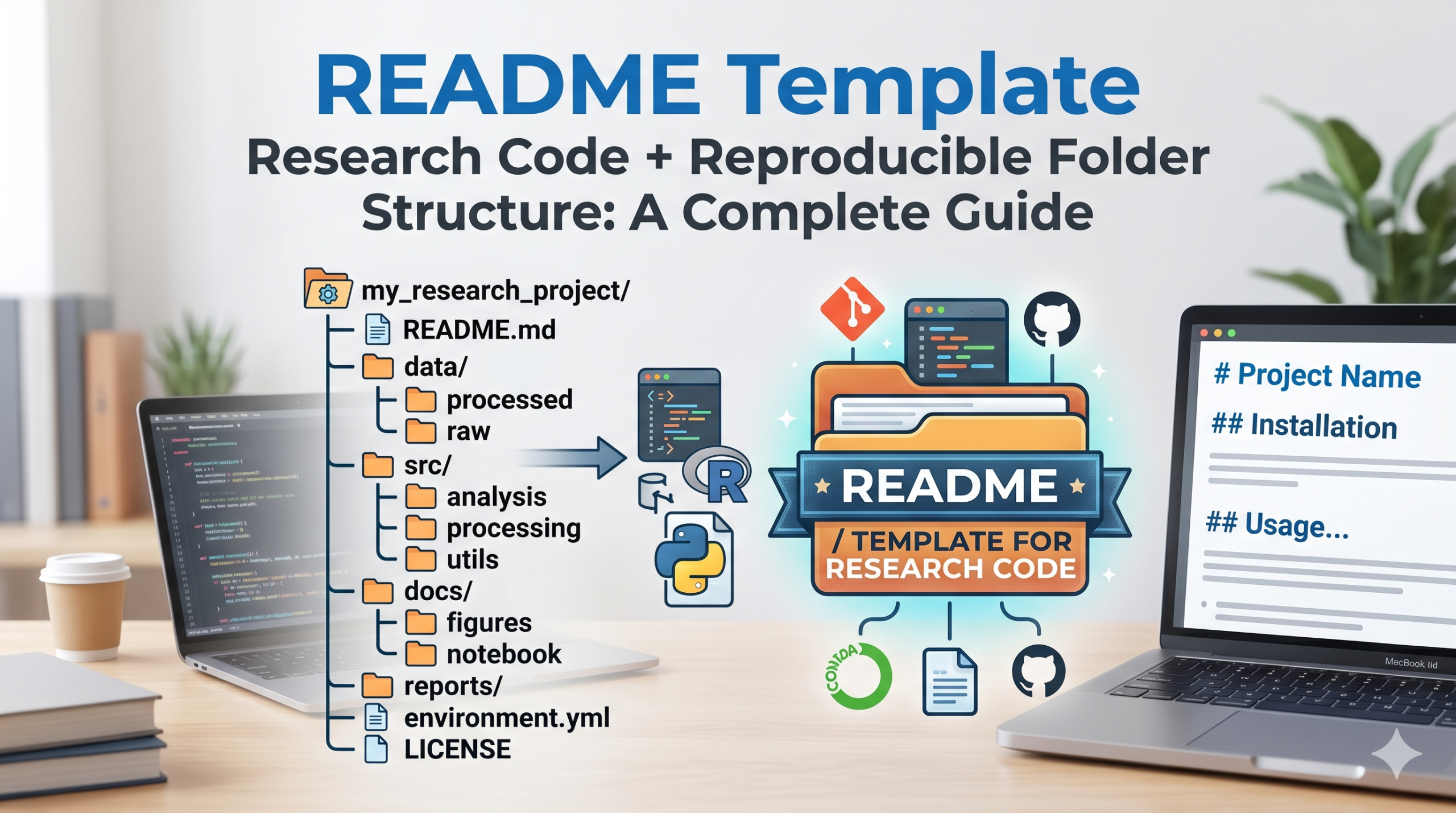
The Standard Reproducible Research Folder Structure
A consistent, logical folder structure is the foundation of any reproducible research project. It makes your repository navigable for others (and for yourself after several months away from the project) and aligns with the expectations of reviewers, journal data editors, and replication researchers.
The following structure is adapted from the World Bank’s Reproducibility Package standard, the TIER Protocol 4.0 (Teaching Integrity in Empirical Research), and widely adopted practices across computational social science, ecology, and biomedical research:
| project_name/ | ├── README.md # Main documentation file (see template below) ├── LICENSE # Specify how others may use your code and data ├── CITATION.cff # Machine-readable citation information | ├── data/ | ├── raw/ # Original data – NEVER modified | ├── processed/ # Cleaned/transformed data produced by scripts | └── metadata/ # Data dictionaries, codebooks, variable descriptions | ├── code/ # All analysis scripts | ├── 00_setup.R # Environment setup, package installation | ├── 01_data_cleaning.R # Raw to processed data pipeline | ├── 02_analysis.R # Primary analyses | ├── 03_figures.R # Figure generation scripts | └── functions/ # Custom functions used across scripts | ├── outputs/ | ├── figures/ # All figures as produced by code | ├── tables/ # All tables as produced by code | └── models/ # Saved model objects (if applicable) | ├── docs/ | ├── manuscript/ # Paper drafts and submitted versions | └── supplementary/ # Supplementary materials | └── environment/ ├── requirements.txt # Python: pip dependencies ├── renv.lock # R: renv lockfile for package versions └── Dockerfile # Optional: containerised environment |
Key Structural Principles
- Raw data is sacred: The data/raw/ folder contains your original, unmodified data files. Scripts read from this folder but never write to it. Any transformation produces new files in data/processed/. This means the original data is always recoverable.
- Numbered scripts enforce order: Naming scripts 00_, 01_, 02_ makes the intended execution order unambiguous for any reader. A reviewer or replicator immediately knows that 00_setup.R runs first.
- Outputs are generated, not stored manually: Every figure and table in your paper should be the direct output of a script. If you edit a figure in Illustrator after generating it, that edit should be documented – otherwise the outputs directory is misleading.
- Environment files are non-negotiable: Without a record of your software environment – package versions, Python version, R version – a replicator may run your code in a different environment and get different or no results. requirements.txt, renv.lock, or a Dockerfile address this.
The README Template: Section by Section
The following template covers the sections that journal data editors, reproducibility reviewers, and replication researchers consistently look for. Copy it, adapt it to your project, and update it whenever your repository changes.
| # [Project Title] > One-sentence description of what this repository contains and what paper it supports. ## Overview This repository contains the data, code, and supplementary materials for the paper: > [Author Last Name, First Initial.], [Year]. [Full Paper Title]. [Journal Name], [Volume]([Issue]), > [Page Range]. DOI: [doi here] ## Repository Structure “` project_name/ ├── README.md ├── data/ │ ├── raw/ # Original, unmodified data │ ├── processed/ # Cleaned data produced by scripts │ └── metadata/ # Codebooks and variable descriptions ├── code/ # Analysis scripts (numbered in execution order) ├── outputs/ # Figures and tables as generated by code └── environment/ # Dependency and environment files “` ## Requirements **Software:** – R version 4.3.2 (or later) [or Python 3.11] – RStudio 2023.12 (optional but recommended) **R Packages (key):** – tidyverse 2.0.0 – lme4 1.1-35 – ggplot2 3.4.4 – [add all packages used] To install all required packages, run: source(‘code/00_setup.R’) For exact version reproducibility, use renv: renv::restore() ## Data ### Data Sources [Describe each data source. For each, specify:] – Source name and URL (if publicly available) – Version or release date accessed – Any access requirements (e.g., registration, data use agreement) – File name in data/raw/ corresponding to this source ### Data Availability Statement [Select one of the following and fill in:] OPTION A (Open): All data used in this analysis are included in this repository in the data/raw/ folder and are publicly available under [license name]. OPTION B (Third-party): The primary dataset used in this study is available from [source] at [URL] under [conditions]. We are not permitted to redistribute the data. See data/metadata/ for the codebook. Instructions for accessing and placing the data are in data/raw/DATA_INSTRUCTIONS.md. OPTION C (Restricted): This study used administrative data obtained under a data sharing agreement with [institution]. Due to privacy restrictions, the underlying data cannot be shared. Synthetic data suitable for testing the code pipeline are available in data/raw/synthetic/. ## How to Reproduce the Results To reproduce all tables and figures in the paper from scratch, run the scripts in this order: 1. code/00_setup.R Install and load all required packages 2. code/01_data_cleaning.R Process raw data to analysis-ready format 3. code/02_analysis.R Run all primary and secondary analyses 4. code/03_figures.R Generate all figures (saved to outputs/figures/) Alternatively, run the master script to execute the full pipeline: source(‘code/00_master.R’) [if a master script exists] Expected runtime on a standard laptop: [X] minutes ### Correspondence Between Outputs and Paper | Paper Element | Output File | Script | |——————-|———————————-|——————| | Figure 1 | outputs/figures/fig1_descriptives.pdf | code/03_figures.R | | Table 2 | outputs/tables/table2_regression.csv | code/02_analysis.R| | Figure 2 | outputs/figures/fig2_interaction.pdf | code/03_figures.R | ## Variable Descriptions See data/metadata/codebook.csv for a complete description of all variables, including names, labels, value codes, and missing data conventions. ## License The code in this repository is released under the MIT License (see LICENSE file). Data in data/raw/ [is / is not] covered by this license. See data/metadata/DATA_LICENSE.md for data-specific terms. ## Citation If you use this code or data in your own research, please cite: > [Full citation in your preferred format] A machine-readable citation is available in CITATION.cff. ## Contact For questions about this repository, contact: [name] at [email] For questions about data access, contact: [data custodian contact if applicable] |
Section-by-Section Guidance
Overview
The overview block should contain the full citation of your paper – including DOI – as soon as it is available. This is the single most important piece of information for anyone finding your repository through a citation search. Many repositories omit it entirely.
Requirements
Be specific about software versions. R 4.3 and R 4.1 can produce different results for certain packages. Python 3.11 and Python 3.9 may have incompatible package dependencies. A replicator who cannot reproduce your environment cannot reproduce your results – even if your code is perfect.
For R projects, use the renv package to create a lockfile (renv.lock) that records the exact version of every package used. For Python, a requirements.txt file with pinned versions (e.g., pandas==2.0.3) provides the same function. Lastly,for maximum reproducibility, a Dockerfile that containerises your entire environment is the gold standard.
Data Availability Statement
Journal data policies increasingly require a Data Availability Statement in the manuscript. Your README should contain the extended version of this statement – more detailed than what fits in the paper. The three template options (open, third-party, restricted) cover the most common scenarios. For restricted data, providing synthetic data that allows the code pipeline to be tested is a best-practice recommendation from several leading data editors.
Correspondence Table
The table mapping paper elements to output files to scripts is the single most useful addition you can make to a README for a replication reviewer. Without it, a reviewer must read every script to understand which code produced which figure. With it, they can go directly to the relevant script for any output they want to check.
Variable Descriptions / Codebook
A codebook in data/metadata/ that lists every variable name, its label, its value codes (for categorical variables), the original source question (for survey data), and missing data conventions is essential for any dataset that will be shared or reused. Many replication failures happen not because the code is wrong but because variable coding was misunderstood.
Essential README Best Practices
- Write the README as if the reader has never seen your project and has no prior knowledge of your research – because the first reader who matters might be a journal data editor, not a colleague
- Update the README every time you make a significant change to the repository structure, scripts, or data – stale documentation is worse than no documentation, because it actively misleads
- Use relative file paths in all scripts – never hardcoded absolute paths like /Users/yourname/Documents/research/. Relative paths work on any machine
- Test your repository on a clean computer (or in a fresh virtual environment) before making it public. The most common reproducibility failure is a dependency that exists on the author’s computer but is not documented
- Add a LICENSE file. Without a license, your code is technically all rights reserved – which means others cannot legally reuse it even if you intend them to. MIT License is the most permissive and widely used open-source option for research code
- Add a CITATION.cff file – a simple YAML format that allows GitHub and Zenodo to automatically generate citations for your repository, making it easier for others to credit your work
Connecting Your Repository to Your Published Paper
Once your repository is publicly accessible, link it to your paper in multiple ways:
- Include the repository URL or DOI in your manuscript’s Data Availability Statement
- Upload your repository to Zenodo (zenodo.org) before submission – Zenodo assigns a permanent DOI that works even if your GitHub URL changes
- Link your Zenodo DOI in your published paper rather than a GitHub URL, since GitHub URLs can change but Zenodo DOIs are permanent
- Register your study on OSF (osf.io) and link your repository there – OSF provides additional visibility and a permanent record
Many Scopus and Web of Science indexed journals now provide a Code Ocean or Zenodo integration that allows reviewers to execute your code in a browser-based environment during peer review. If your target journal offers this, take advantage of it – reviewers who can run your code without setup friction are more likely to verify and validate your computational work.
Conclusion
A well-structured research repository with a complete README is not just a courtesy to other researchers – it is increasingly a publication requirement, a citation driver, and a mark of professional credibility. The folder structure and README template in this guide provide a ready-to-use starting point that covers every element journal data editors, replication reviewers, and future users of your data will look for.
Invest the time at the start of each research project to set up a clean, standardised folder structure. Write your README iteratively as the project develops rather than scrambling to produce it at submission. Test reproducibility before you submit. These practices transform good research into trustworthy, reusable science.
If you are preparing a computational or data-intensive manuscript for Scopus or high-impact journal submission and need support with manuscript editing, scientific editing, or publication strategy, Mars Publications is here to help.
| Need Help Publishing Your Reproducible Research? Mars Publications provides expert manuscript editing, scientific editing, and Scopus journal submission support – including for data- and code-intensive research papers in all disciplines. Explore Publication Support |